- Solutions
- Company
- Who we are
We are specialists in the management of digital objects; digital content generation, web document management, validation circuits, automatic document classification, information extraction, weight reduction, quality improvement, content identification, long-term storage, digital signature, biometric signature with legal validity, mass digitization.
- Work with us
If you want to be part of the doceo Software team, you have to fill out the following form, attach your Curriculum Vitae.
- Our success stories
- Contact
Telephone:972 98 22 87
Email:info@doceosoftware.comUdG Scientific and Technological Park
C/ Pic de la Peguera, 11
Office, A-1, 14-B
17003 Girona
- News blog
 English



MUCH MORE THAN A DOCUMENT MANAGER
Automate the work and worry about what really matters
COMPLETE FLOW MANAGEMENT AND DOCUMENTATION TOOL
FLEXIBILITY AND ADAPTABILITY
It adapts to any device and only requires internet to operate. Perfectly adapted to teleworking in any sector.
INTEGRATED DOCUMENT MANAGEMENT
The web document manager allows for the incorporation of different types of documents and the agile definition of associations between documents.
WORKFLOWS
All information is accessible, comments can be incorporated and shared between different managers.
MULTIPLE SEARCH OPTIONS
Search by filtering by keywords, metadata, folders or document content or simply enter a word and the results are displayed with a preview.
CREATION OF DOCUMENTS USING FORMS
Using pre-designed forms or documents, you can obtain documents ready for validation.
TURNKEY SOLUTIONS
Intuitive solution, specially designed for use from the very first moment and without the need for complex training.
User and Profile Management
Manages user and group profiles, along with their permissions and profile preferences.
Advanced Search
Explore a wide range of search options, including documents, tasks, events and attachments. The advanced search engine makes it quicker to find crucial information.
Visual Task Management
Use Kanban boards to create and manage tasks at user and group level, including generating tasks from documents or records.
Effective organisation with labels
Create and manage tags to organise records, events and tasks efficiently. Efficiently categorise records, events and tasks using custom tags, allowing quick and orderly access.
Smart Calendar
Create events and share them with users and groups. Associate documents and records to events, giving valuable context to your management. Define management and access between participants.
Drag & Drop interaction
Move documents between trays by dragging and dropping with ease.
Variety and Flexibility of Documentary Typologies
Manage different types of attributes and documents in a flexible way adapted to your needs.
Records and File Management
View records and files in list or gallery view. Easily perform actions such as delete, select, clone, export and print.
Documentary Relationships
Establish relationships between documents and records for a holistic understanding of your information, improving decision making.
Document Entry Automation
Import documents manually or automatically through various Doceo Software modules, such as the Doceo Printer virtual printer, streamlining the capture process.
Custom Workflows and Filters
Design and manage workflows in an intuitive way. Apply multiple filters for targeted optimisation. Set up automated and customisable workflows between teams and professionals.
Efficient inboxes
Design and manage workflows in an intuitive way. Apply multiple filters for targeted optimisation. Set up automated and customisable workflows between teams and professionals.
Transparent Tracking with History of Actions
Access a detailed log of actions taken for accurate auditing and complete traceability.
Advanced PDF Editing
View, underline, comment and add customised stamps and signatures to PDF files, enhancing collaboration.
Custom Stamps
Create customised seals and assign specific seals to document typologies, adding a layer of visual authentication.
Multilingual and Universal Access
Choose your preferred language for a tailored experience.
Web Access at Any Time
Create customised seals and assign specific seals to document typologies, adding a layer of visual authentication.
Centralised View
Access a central view showing records, documents, folders and relationships based on metadata.
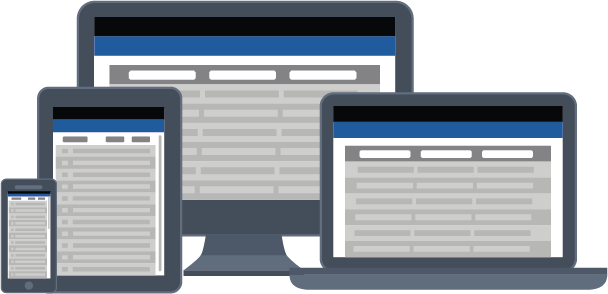
- Doceo Store Virtual Office is considered a WaaS solution for its benefits in operational efficiency, business flexibility, and cost reduction.
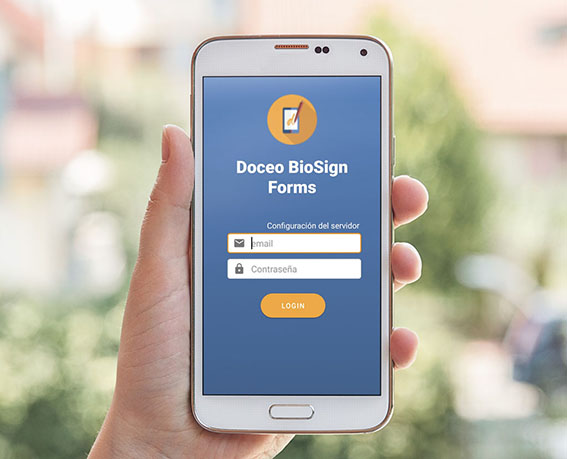
Signature for digital documents
We have a Doceo BioSign module to save time and travel when managing any procedure.
- Compliance with current regulations (article 26 of European Regulation 910/2014, known as eIDAS).
- Improve your customers’ experience by being able to sign their documents from the comfort of their device.
- Have all the documentation available in digital signed format, without the need to print it on paper.
- Avoid unnecessary access to personal data by third parties.
- Greater legal coverage in case of disagreements.
Doceo BioSign is the biometric signature with legal validity that is integrated in all our cloud solutions.
If you have reached this point, maybe it's time to contact us 🙂
COMPLETE MANAGEMENT OF DOCUMENTATION FOR HUMAN RESOURCES
doceo RRHH is the solution for the management of the documentation of the human resources of an organization.
ADVANTAGES
- All the documentation in the same system.
- The HR manager will view all the documents that are going to expire.
- Workers will receive automatic notifications of incorporated documents that require their approval.
- Legal validity of the workers’ agreement by biometric signature.
- Possibility of adding company-specific documents and defining their behavior.
- Automatic sending of documents for every new employee registration.
- Direct communication between the human resources department and the workers.
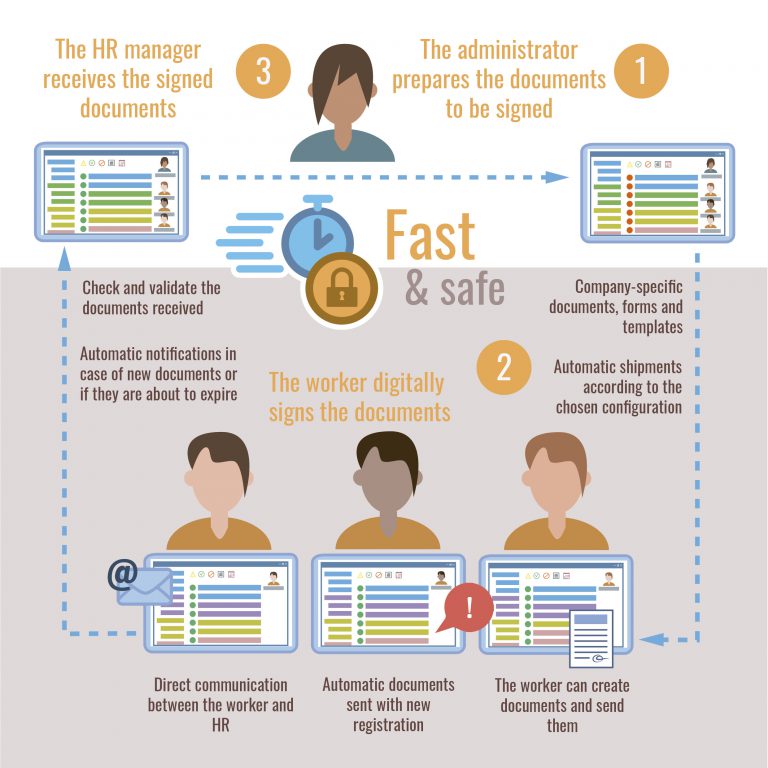
1. The administrator prepares and validates the documents to be signed
- The administrator can choose to work with the documents of a specific user, or of all of them.
- Control of all documentation and workers from the same system.
- Add your own company documents, forms and templates and define the behavior.
- Automatic sending of documentation according to the configuration that the administrator configures with each new worker registration.
2. The worker receives and approves the documents
- The user receives in his mail the documentation to sign and validate: quick and easy.
- Receive automatic notifications to your email if new documents need to be signed or if they are about to expire.
- The worker can create new documents; upload, view or edit if the document itself allows it.
4. Receipt of signed and validated documentation
- Once the documentation has been completed or signed, it’s returned to the company.
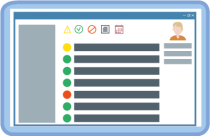
- The top menu contains icons that show information about the number of documents and their status: pending validation, validated, rejected…
- It allows a direct and agile contact between user and administrator in case of doubts or errors.
QUICK
Fast and agile communication of your documentation.

AUTOMATIC NOTICES
Automatic notifications if new documents need to be signed or if they are about to expire.

FULL DOCUMENTATION
All specialized and complete documentation ordered by typology and subcategories.

INTUITIVE
In the same space you can view the status of your documents in an orderly and efficient way.